
Akif T.
Tuesday, October 13, 2026 | 3 minutes
Blazor Fluent UI .NET 10 Wizard
Blazor Fluent UI .NET 10 Wizard
| Light | Dark |
|---|---|
 |  |
.NET 10: .NET 10 introduces several enhancements, including performance improvements, new APIs, and better support for cloud-native applications. The integration of JSON schema extraction in .NET 10 is a significant feature that aids in data validation and API documentation.
Blazor: Blazor is a web framework that allows developers to build interactive web applications using C# instead of JavaScript. It leverages the power of .NET to create rich client-side applications that can run in the browser via WebAssembly or on the server.
Fluent UI Blazor: Fluent UI Blazor is a set of components that implement Microsoft’s Fluent Design System for Blazor applications. It provides a consistent and modern user interface, enhancing the overall user experience.
Wizard Component: Wizard Component A multi-step interface that guides users through a process, ensuring that all necessary information is collected in a structured manner.
Create.razor
@page "/BlogPost/Create"

@using System.ComponentModel.DataAnnotations

<PageTitle>Create</PageTitle>

<FluentStack Orientation="Orientation.Vertical">
    <FluentText Size="TextSize.Size800">Create</FluentText>
</FluentStack>

@if (blogPostViewModel is null)
{
    <FluentStack Orientation="Orientation.Vertical" VerticalAlignment="VerticalAlignment.Center" HorizontalAlignment="HorizontalAlignment.Center">
        <FluentProgressBar Width="200px" />
        <FluentLabel>...loading...</FluentLabel>
    </FluentStack>
}
else
{
    <FluentWizard StepperPosition="StepperPosition.Left"
                  StepSequence="@WizardStepSequence.Visited"
                  DisplayStepNumber="@(WizardStepStatus.Current | WizardStepStatus.Next)"
                  Border="WizardBorder.All"
                  StepTitleHiddenWhen="@GridItemHidden.XsAndDown"
                  Height="300px"
                  OnFinish="@OnFinishedAsync">
        <Steps>
            <FluentWizardStep Label="Title"
                              Summary="Set title" OnChange="@OnStepChange">
                <EditForm Model="blogPostViewModelFormData1" FormName="titleForm" OnValidSubmit="OnValidSubmit">
                    <DataAnnotationsValidator />
                    <FluentWizardStepValidator />
                    <FluentStack Orientation="Orientation.Vertical">
                        <FluentTextInput Label="Title" LabelPosition="LabelPosition.Before" Placeholder="Title" @bind-Value="blogPostViewModelFormData1.Title" LabelWidth="100px" Width="100%" />
                    </FluentStack>
                </EditForm>
            </FluentWizardStep>
            <FluentWizardStep Label="Content"
                              Summary="Set content" OnChange="@OnStepChange">
                <EditForm Model="blogPostViewModelFormData2" FormName="contentForm" OnValidSubmit="OnValidSubmit">
                    <DataAnnotationsValidator />
                    <FluentWizardStepValidator />
                    <FluentStack Orientation="Orientation.Vertical">
                        <FluentTextArea Label="Content" LabelPosition="LabelPosition.Before" Placeholder="Content" @bind-Value="blogPostViewModelFormData2.Content" LabelWidth="100px" Width="100%" />
                    </FluentStack>
                </EditForm>
            </FluentWizardStep>
            <FluentWizardStep Label="Summary"
                              IconPrevious="@(new Icons.Filled.Size20.Star())"
                              IconCurrent="@(new Icons.Filled.Size20.StarEmphasis())"
                              IconNext="@(new Icons.Regular.Size20.Star())">
                <EditForm Model="blogPostViewModel" FormName="summaryForm" OnValidSubmit="OnValidSubmit">
                    <DataAnnotationsValidator />
                    <FluentWizardStepValidator />
                    <FluentStack Orientation="Orientation.Vertical">
                        <FluentTextInput LabelPosition="LabelPosition.Before" Value="@blogPostViewModel.Title" ReadOnly="true" Disabled="true"
                                         LabelWidth="100px" Width="100%" ControlStyle="color: green !important;">
                            <LabelTemplate>
                                <FluentStack HorizontalGap="6px">
                                    <FluentIcon Value="@(new Icons.Regular.Size20.CheckmarkCircle())" Color="Color.Success" />
                                    <FluentText Color="Color.Success">Title</FluentText>
                                </FluentStack>
                            </LabelTemplate>
                        </FluentTextInput>
                        <FluentTextArea LabelPosition="LabelPosition.Before" Placeholder="Content" Value="@blogPostViewModelFormData2.Content" ReadOnly="true" Disabled="true"
                                        LabelWidth="100px" Width="100%" ControlStyle="color: green !important;">
                            <LabelTemplate>
                                <FluentStack HorizontalGap="6px">
                                    <FluentIcon Value="@(new Icons.Regular.Size20.CheckmarkCircle())" Color="Color.Success" />
                                    <FluentText Color="Color.Success">Content</FluentText>
                                </FluentStack>
                            </LabelTemplate>
                        </FluentTextArea>
                    </FluentStack>
                </EditForm>
            </FluentWizardStep>
        </Steps>
    </FluentWizard>
}

@code {
    private BlogPostViewModel? blogPostViewModel;
    private BlogPostViewModelFormData1 blogPostViewModelFormData1 = new();
    private BlogPostViewModelFormData2 blogPostViewModelFormData2 = new();

    protected override void OnInitialized()
    {
        blogPostViewModel = new();
    }

    private void NavigatetoBlogPostIndex() => NavigationManager.NavigateTo("/BlogPost");

    void OnStepChange(FluentWizardStepChangeEventArgs e)
    {
        if (!e.IsCancelled)
        {
            blogPostViewModel?.Title = blogPostViewModelFormData1.Title;
            blogPostViewModel?.Content = blogPostViewModelFormData2.Content;
        }
    }

    async Task OnValidSubmit()
    {
    }

    async Task OnFinishedAsync()
    {
        if (blogPostViewModel == null) return;

        var blogPost = Mapper.Map<BlogPostViewModel, BlogPost>(blogPostViewModel);
        bool result = await BlogPostService.AddBlogPostAsync(blogPost);
        if (result)
        {
            await NotificationService.ShowSuccessToastAsync("Success", "Create BlogPost");
            NavigationManager.NavigateTo("/BlogPost/");
        }
    }

    private class BlogPostViewModelFormData1
    {
        [Required(AllowEmptyStrings = false, ErrorMessage = "Title can not be empty")]
        [MaxLength(120, ErrorMessage = "MaxLength 120")]
        public string Title { get; set; } = string.Empty;
    }

    private class BlogPostViewModelFormData2
    {
        [Required(AllowEmptyStrings = false, ErrorMessage = "Content can not be empty")]
        public string Content { get; set; } = string.Empty;
    }

}
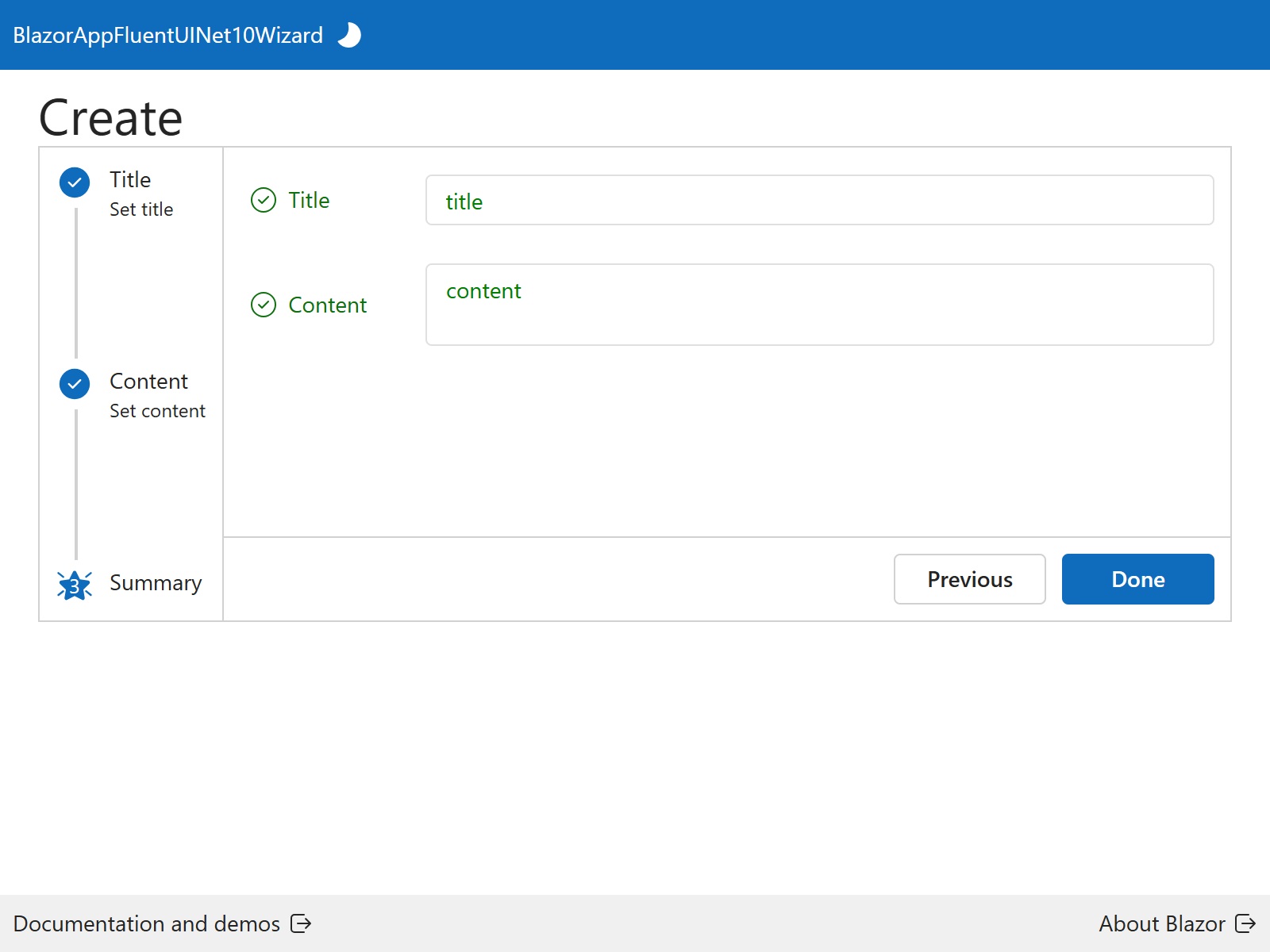
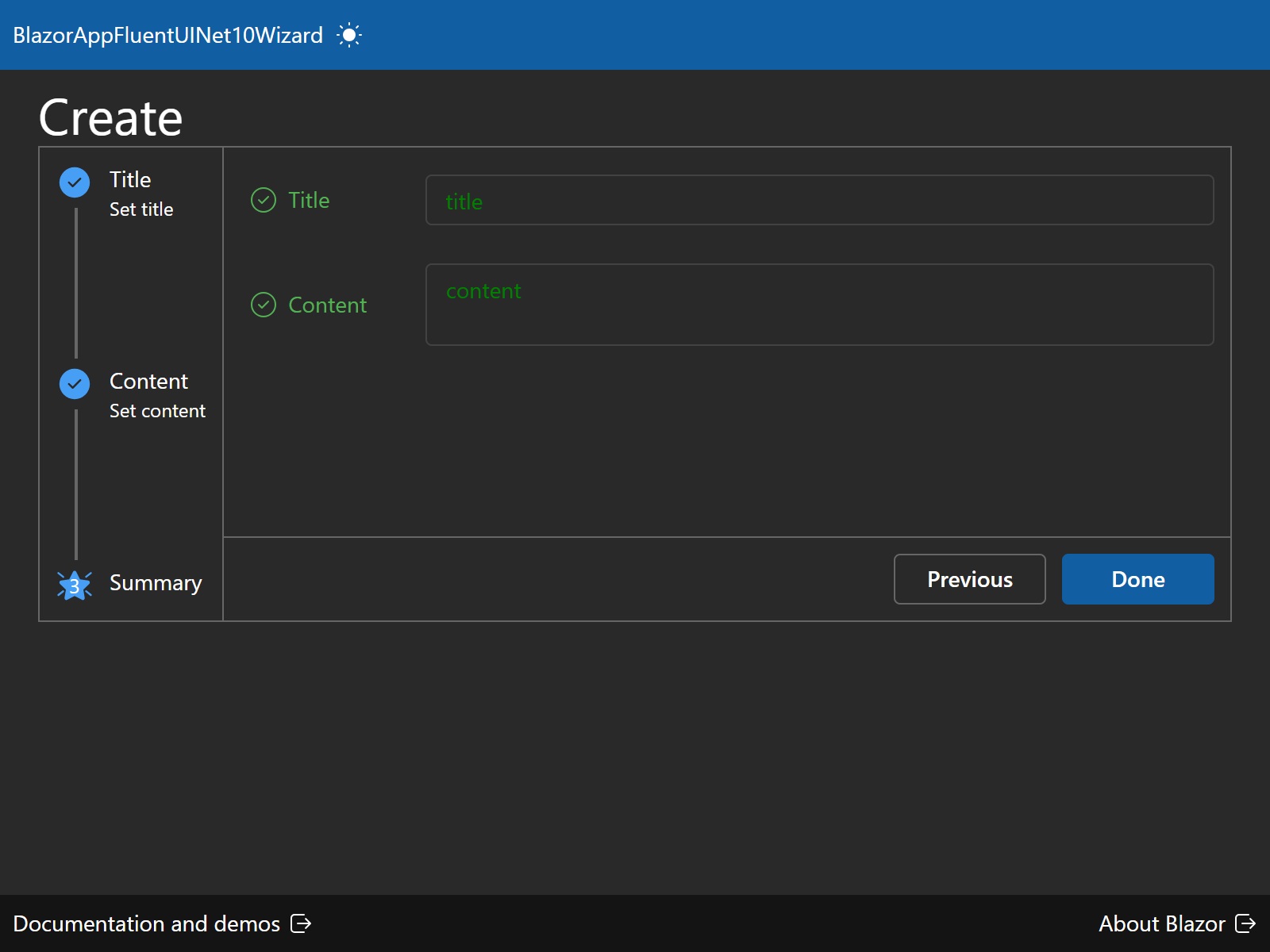
Wizard consists of three steps, Title, Content, and Summary. This step allows the user to input the title of the blog post. It uses data binding to connect the input field to the blogPostViewModelFormData1.Title property. Users can enter the content of the blog post. It employs data binding for the content input. Summary step displays the title and content entered by the user in a read-only format, allowing for a final review before submission. OnFinishedAsync method handles the final submission of the blog post, mapping the view model to the actual blog post entity and calling the service to save it.
Source
Full source code is available at this repository in GitHub:
https://github.com/akifmt/DotNetCoding/tree/main/src/BlazorAppFluentUINet10Wizard